It is Java-based and runs fine on your Desktop, but if you’re running a (QNAP-)NAS which already stores all your books, why not have them served nicely.

Prerequisites
I did this on A QNAP TS-421 (ARM-CPU) Running OS version 4.x, though this should work the same way (except the Java installation on x86 see link below) on any other QNAP NAS.
I am assuming that you already have IPKG installed and are able to log in via ssh and already have some experience with the (Linux-)shell.
Install coreutils, procps and Java
The start script for the daemon requires the nohup and pgrep command which unfortunately aren’t shipped with the basic installation.
So simply do a
ipkg install coreutils
ipkg install procps
Install Java
Follow the instructions on http://wiki.qnap.com/wiki/Category:JavaRuntimeEnviroment in order to install Java. In brief:
- Download JRE 7 for ARMv5 from www.oracle.com/technetwork/java/embedded/downloads/javase/index.html, don’t expand or rename it!
- Put it in the Public share
- Download the JRE7.qpkg from db.tt/yVj7Lwe
- Go to the App Center, click “Install manually” and add this package.
- Wait until it is installed
- Go to the App Center, find the JRE App and activate it
- Use Java
Install Ubooquity
Download the jar from http://vaemendis.net/ubooquity/static2/download and put it on your QNAP NAS. I created a Folder Ubooquity in Public/ where everything from Ubooquity lives, so it is in /share/Public/Ubooquity/ now.
Do a test run on the shell:
java -jar Ubooquity.jar -webadmin
Now you should be able to connect to the admin server on http://<qnapaddress>:2202/admin
Set a password for administration and play with the Web ui.
Install as a service
As soon as you close the shell from above, Ubooquity quits itself. Not very cool. So we need to install it as a daemon, a service starting on system start and then running all time.
Ubooquity provides a nice startup script called ubooquity.sh at http://vaemendis.net/ubooquity/downloads/scripts/. Get it and put it next to Ubooquity.jar. As pgrep on QNAP doesn’t support the -c (count) option, we need to change one line:
Replace all occurrences of the line
count=`pgrep -fc Ubooquity.jar`
with
count=`pgrep -f Ubooquity.jar | wc -l`
QNAP provides a quite easy way to register an application as a service. Simply edit the file /etc/config/qpkg.conf and add the following block.
[Ubooquity]
Name = Ubooquity
Version = 1.4.0
Enable = TRUE
QPKG_File = none.qpkg
Date = 2014-04-28
Shell = /share/Public/Ubooquity/ubooquity.sh
Install_Path = /share/Public/Ubooquity
Web_Port = 2202
WebUI = /
Author = Ubooquity
You may have to adapt the paths to your installation.
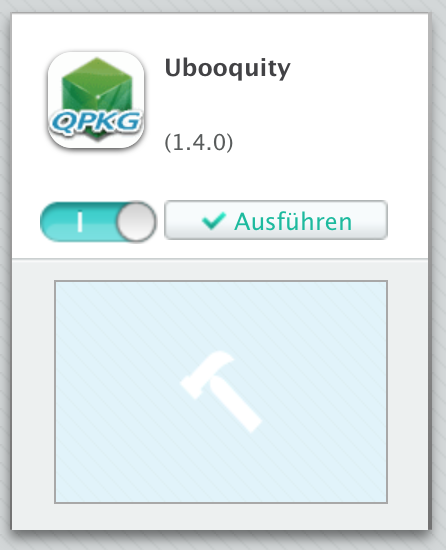
Now you can start Ubooquity in the App Center just like any other app.
]]>